 https://softwaretraining.co.za/wp-content/uploads/2026/07/34926-featured-image.jpg
0
0
A-Help
https://softwaretraining.co.za/wp-content/uploads/2021/04/software-training.svg
A-Help2026-06-29 10:36:522026-10-02 00:54:01How to Import / Export or Modify Your ICC Profiles Within the AM.CO.ZA InkRIP Software (Part 10)
https://softwaretraining.co.za/wp-content/uploads/2026/07/34926-featured-image.jpg
0
0
A-Help
https://softwaretraining.co.za/wp-content/uploads/2021/04/software-training.svg
A-Help2026-06-29 10:36:522026-10-02 00:54:01How to Import / Export or Modify Your ICC Profiles Within the AM.CO.ZA InkRIP Software (Part 10) https://softwaretraining.co.za/wp-content/uploads/2026/07/34920-featured-image.jpg
0
0
A-Help
https://softwaretraining.co.za/wp-content/uploads/2021/04/software-training.svg
A-Help2026-06-29 10:34:042026-10-02 00:36:01About the Color Manager for ICC Profiles Within the AM.CO.ZA InkRIP Software (Part 4)
https://softwaretraining.co.za/wp-content/uploads/2026/07/34920-featured-image.jpg
0
0
A-Help
https://softwaretraining.co.za/wp-content/uploads/2021/04/software-training.svg
A-Help2026-06-29 10:34:042026-10-02 00:36:01About the Color Manager for ICC Profiles Within the AM.CO.ZA InkRIP Software (Part 4) https://softwaretraining.co.za/wp-content/uploads/2026/07/34919-featured-image.jpg
0
0
A-Help
https://softwaretraining.co.za/wp-content/uploads/2021/04/software-training.svg
A-Help2026-06-29 10:34:042026-09-30 08:49:01Getting A Clean Printer Head Nozzle Within the AM.CO.ZA InkRIP Software (Part 3)
https://softwaretraining.co.za/wp-content/uploads/2026/07/34919-featured-image.jpg
0
0
A-Help
https://softwaretraining.co.za/wp-content/uploads/2021/04/software-training.svg
A-Help2026-06-29 10:34:042026-09-30 08:49:01Getting A Clean Printer Head Nozzle Within the AM.CO.ZA InkRIP Software (Part 3) https://softwaretraining.co.za/wp-content/uploads/2026/07/34918-featured-image.jpg
0
0
A-Help
https://softwaretraining.co.za/wp-content/uploads/2021/04/software-training.svg
A-Help2026-06-29 10:34:032026-09-30 08:47:31Using a Specialized Spectrophotometer Device Within the AM.CO.ZA InkRIP Software (Part 2)
https://softwaretraining.co.za/wp-content/uploads/2026/07/34918-featured-image.jpg
0
0
A-Help
https://softwaretraining.co.za/wp-content/uploads/2021/04/software-training.svg
A-Help2026-06-29 10:34:032026-09-30 08:47:31Using a Specialized Spectrophotometer Device Within the AM.CO.ZA InkRIP Software (Part 2)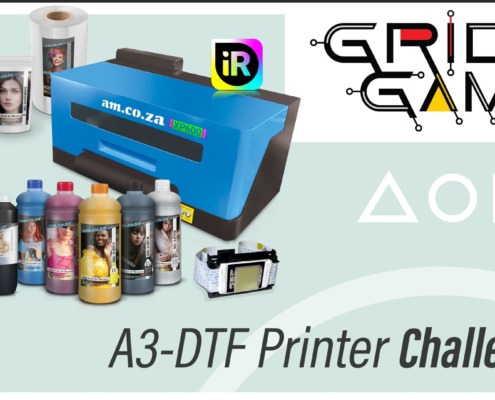 https://softwaretraining.co.za/wp-content/uploads/2026/06/gridgame_thumbnail_1920.jpg
1080
1920
Tutorial
https://softwaretraining.co.za/wp-content/uploads/2021/04/software-training.svg
Tutorial2026-06-03 09:24:312026-06-03 09:43:16At Grid Game, Even Losing Teams Walk Away With Valuable Skills
https://softwaretraining.co.za/wp-content/uploads/2026/06/gridgame_thumbnail_1920.jpg
1080
1920
Tutorial
https://softwaretraining.co.za/wp-content/uploads/2021/04/software-training.svg
Tutorial2026-06-03 09:24:312026-06-03 09:43:16At Grid Game, Even Losing Teams Walk Away With Valuable Skills https://softwaretraining.co.za/wp-content/uploads/2026/06/34821-featured-image.jpg
0
0
A-Video
https://softwaretraining.co.za/wp-content/uploads/2021/04/software-training.svg
A-Video2026-05-28 08:58:512026-10-09 05:10:02How to Use the Equidistant Layout Feature Within the AM.CO.ZA InkRIP Software (Part 8)
https://softwaretraining.co.za/wp-content/uploads/2026/06/34821-featured-image.jpg
0
0
A-Video
https://softwaretraining.co.za/wp-content/uploads/2021/04/software-training.svg
A-Video2026-05-28 08:58:512026-10-09 05:10:02How to Use the Equidistant Layout Feature Within the AM.CO.ZA InkRIP Software (Part 8) https://softwaretraining.co.za/wp-content/uploads/2026/06/34820-featured-image.jpg
0
0
A-Video
https://softwaretraining.co.za/wp-content/uploads/2021/04/software-training.svg
A-Video2026-05-28 08:58:412026-10-08 06:00:03Why Use the Same Height and Width Feature Within the AM.CO.ZA InkRIP Software (Part 7)
https://softwaretraining.co.za/wp-content/uploads/2026/06/34820-featured-image.jpg
0
0
A-Video
https://softwaretraining.co.za/wp-content/uploads/2021/04/software-training.svg
A-Video2026-05-28 08:58:412026-10-08 06:00:03Why Use the Same Height and Width Feature Within the AM.CO.ZA InkRIP Software (Part 7) https://softwaretraining.co.za/wp-content/uploads/2026/06/34819-featured-image.jpg
0
0
A-Help
https://softwaretraining.co.za/wp-content/uploads/2021/04/software-training.svg
A-Help2026-05-28 08:58:352026-09-30 08:36:01Different Stacking Orders of Multiple Designs Within the AM.CO.ZA InkRIP Software (Part 6)
https://softwaretraining.co.za/wp-content/uploads/2026/06/34819-featured-image.jpg
0
0
A-Help
https://softwaretraining.co.za/wp-content/uploads/2021/04/software-training.svg
A-Help2026-05-28 08:58:352026-09-30 08:36:01Different Stacking Orders of Multiple Designs Within the AM.CO.ZA InkRIP Software (Part 6) https://softwaretraining.co.za/wp-content/uploads/2026/06/34818-featured-image.jpg
0
0
A-Help
https://softwaretraining.co.za/wp-content/uploads/2021/04/software-training.svg
A-Help2026-05-28 08:58:242026-09-30 08:34:01Using the Flip and Rotate Layout Feature Within the AM.CO.ZA InkRIP Software (Part 5)
https://softwaretraining.co.za/wp-content/uploads/2026/06/34818-featured-image.jpg
0
0
A-Help
https://softwaretraining.co.za/wp-content/uploads/2021/04/software-training.svg
A-Help2026-05-28 08:58:242026-09-30 08:34:01Using the Flip and Rotate Layout Feature Within the AM.CO.ZA InkRIP Software (Part 5) https://softwaretraining.co.za/wp-content/uploads/2026/06/34817-featured-image.jpg
0
0
A-Video
https://softwaretraining.co.za/wp-content/uploads/2021/04/software-training.svg
A-Video2026-05-28 08:58:152026-10-07 22:18:02How to Align Multiple Designs Elements Within the AM.CO.ZA InkRIP Software (Part 4)
https://softwaretraining.co.za/wp-content/uploads/2026/06/34817-featured-image.jpg
0
0
A-Video
https://softwaretraining.co.za/wp-content/uploads/2021/04/software-training.svg
A-Video2026-05-28 08:58:152026-10-07 22:18:02How to Align Multiple Designs Elements Within the AM.CO.ZA InkRIP Software (Part 4) https://softwaretraining.co.za/wp-content/uploads/2026/06/34816-featured-image.jpg
0
0
A-Video
https://softwaretraining.co.za/wp-content/uploads/2021/04/software-training.svg
A-Video2026-05-28 08:58:092026-10-08 05:45:02Using the MSM Feature for Better Nesting Within the AM.CO.ZA InkRIP Software (Part 3)
https://softwaretraining.co.za/wp-content/uploads/2026/06/34816-featured-image.jpg
0
0
A-Video
https://softwaretraining.co.za/wp-content/uploads/2021/04/software-training.svg
A-Video2026-05-28 08:58:092026-10-08 05:45:02Using the MSM Feature for Better Nesting Within the AM.CO.ZA InkRIP Software (Part 3) https://softwaretraining.co.za/wp-content/uploads/2026/06/34815-featured-image.jpg
0
0
A-Video
https://softwaretraining.co.za/wp-content/uploads/2021/04/software-training.svg
A-Video2026-05-28 08:58:022026-10-09 06:31:22Setting your Designs Location and Scale Within the AM.CO.ZA InkRIP Software (Part 2)
https://softwaretraining.co.za/wp-content/uploads/2026/06/34815-featured-image.jpg
0
0
A-Video
https://softwaretraining.co.za/wp-content/uploads/2021/04/software-training.svg
A-Video2026-05-28 08:58:022026-10-09 06:31:22Setting your Designs Location and Scale Within the AM.CO.ZA InkRIP Software (Part 2) https://softwaretraining.co.za/wp-content/uploads/2026/06/34814-featured-image.jpg
0
0
A-Video
https://softwaretraining.co.za/wp-content/uploads/2021/04/software-training.svg
A-Video2026-05-28 08:57:542026-10-09 05:02:10Transforming your design with the Layout Feature Within the AM.CO.ZA InkRIP Software (Part 1)
https://softwaretraining.co.za/wp-content/uploads/2026/06/34814-featured-image.jpg
0
0
A-Video
https://softwaretraining.co.za/wp-content/uploads/2021/04/software-training.svg
A-Video2026-05-28 08:57:542026-10-09 05:02:10Transforming your design with the Layout Feature Within the AM.CO.ZA InkRIP Software (Part 1) https://softwaretraining.co.za/wp-content/uploads/2026/05/ST-Cover-Mini-Series-06-Transform.jpg
750
1000
A-Index
https://softwaretraining.co.za/wp-content/uploads/2021/04/software-training.svg
A-Index2026-05-28 08:57:392026-05-31 22:05:04Transform your Imported Designs within the AM.CO.ZA InkRIP Software (Mini-Series) Video Index
https://softwaretraining.co.za/wp-content/uploads/2026/05/ST-Cover-Mini-Series-06-Transform.jpg
750
1000
A-Index
https://softwaretraining.co.za/wp-content/uploads/2021/04/software-training.svg
A-Index2026-05-28 08:57:392026-05-31 22:05:04Transform your Imported Designs within the AM.CO.ZA InkRIP Software (Mini-Series) Video Index https://softwaretraining.co.za/wp-content/uploads/2026/05/34719-featured-image.jpg
0
0
A-Help
https://softwaretraining.co.za/wp-content/uploads/2021/04/software-training.svg
A-Help2026-05-10 23:51:082026-09-30 08:23:01Adding Footnotes with Additional Information Within the AM.CO.ZA InkRIP Software (Part 8)
https://softwaretraining.co.za/wp-content/uploads/2026/05/34719-featured-image.jpg
0
0
A-Help
https://softwaretraining.co.za/wp-content/uploads/2021/04/software-training.svg
A-Help2026-05-10 23:51:082026-09-30 08:23:01Adding Footnotes with Additional Information Within the AM.CO.ZA InkRIP Software (Part 8) https://softwaretraining.co.za/wp-content/uploads/2026/05/34718-featured-image.jpg
0
0
A-Help
https://softwaretraining.co.za/wp-content/uploads/2021/04/software-training.svg
A-Help2026-05-10 23:49:142026-09-30 08:20:01Using the Text Tool and Its Options Within the AM.CO.ZA InkRIP Software (Part 7)
https://softwaretraining.co.za/wp-content/uploads/2026/05/34718-featured-image.jpg
0
0
A-Help
https://softwaretraining.co.za/wp-content/uploads/2021/04/software-training.svg
A-Help2026-05-10 23:49:142026-09-30 08:20:01Using the Text Tool and Its Options Within the AM.CO.ZA InkRIP Software (Part 7) https://softwaretraining.co.za/wp-content/uploads/2026/05/34717-featured-image.jpg
0
0
A-Help
https://softwaretraining.co.za/wp-content/uploads/2021/04/software-training.svg
A-Help2026-05-10 23:46:572026-09-30 08:17:01Making and Managing Custom Color Tables Within the AM.CO.ZA InkRIP Software (Part 6)
https://softwaretraining.co.za/wp-content/uploads/2026/05/34717-featured-image.jpg
0
0
A-Help
https://softwaretraining.co.za/wp-content/uploads/2021/04/software-training.svg
A-Help2026-05-10 23:46:572026-09-30 08:17:01Making and Managing Custom Color Tables Within the AM.CO.ZA InkRIP Software (Part 6) https://softwaretraining.co.za/wp-content/uploads/2026/05/34716-featured-image.jpg
0
0
A-Help
https://softwaretraining.co.za/wp-content/uploads/2021/04/software-training.svg
A-Help2026-05-10 23:44:002026-09-30 08:15:02How to Use Images as Your Fill Type Within the AM.CO.ZA InkRIP Software (Part 5)
https://softwaretraining.co.za/wp-content/uploads/2026/05/34716-featured-image.jpg
0
0
A-Help
https://softwaretraining.co.za/wp-content/uploads/2021/04/software-training.svg
A-Help2026-05-10 23:44:002026-09-30 08:15:02How to Use Images as Your Fill Type Within the AM.CO.ZA InkRIP Software (Part 5) https://softwaretraining.co.za/wp-content/uploads/2026/05/34715-featured-image.jpg
0
0
A-Help
https://softwaretraining.co.za/wp-content/uploads/2021/04/software-training.svg
A-Help2026-05-10 23:42:172026-09-30 08:13:01How to Use and Understand Gradient Fill Types Within the AM.CO.ZA InkRIP Software (Part 4)
https://softwaretraining.co.za/wp-content/uploads/2026/05/34715-featured-image.jpg
0
0
A-Help
https://softwaretraining.co.za/wp-content/uploads/2021/04/software-training.svg
A-Help2026-05-10 23:42:172026-09-30 08:13:01How to Use and Understand Gradient Fill Types Within the AM.CO.ZA InkRIP Software (Part 4) https://softwaretraining.co.za/wp-content/uploads/2026/05/34714-featured-image.jpg
0
0
A-Help
https://softwaretraining.co.za/wp-content/uploads/2021/04/software-training.svg
A-Help2026-05-10 23:40:532026-09-30 08:11:01The Edge and Stroke Type for Shapes Within the AM.CO.ZA InkRIP Software (Part 3)
https://softwaretraining.co.za/wp-content/uploads/2026/05/34714-featured-image.jpg
0
0
A-Help
https://softwaretraining.co.za/wp-content/uploads/2021/04/software-training.svg
A-Help2026-05-10 23:40:532026-09-30 08:11:01The Edge and Stroke Type for Shapes Within the AM.CO.ZA InkRIP Software (Part 3) https://softwaretraining.co.za/wp-content/uploads/2026/05/34713-featured-image.jpg
0
0
A-Help
https://softwaretraining.co.za/wp-content/uploads/2021/04/software-training.svg
A-Help2026-05-10 23:38:382026-09-30 08:09:01The Solid Fill Type for Custom Shapes Within the AM.CO.ZA InkRIP Software (Part 2)
https://softwaretraining.co.za/wp-content/uploads/2026/05/34713-featured-image.jpg
0
0
A-Help
https://softwaretraining.co.za/wp-content/uploads/2021/04/software-training.svg
A-Help2026-05-10 23:38:382026-09-30 08:09:01The Solid Fill Type for Custom Shapes Within the AM.CO.ZA InkRIP Software (Part 2) https://softwaretraining.co.za/wp-content/uploads/2026/05/34712-featured-image.jpg
0
0
A-Help
https://softwaretraining.co.za/wp-content/uploads/2021/04/software-training.svg
A-Help2026-05-10 23:36:382026-09-30 08:06:01Default Design Shapes Within the AM.CO.ZA InkRIP Software A Starting Point (Part 1)
https://softwaretraining.co.za/wp-content/uploads/2026/05/34712-featured-image.jpg
0
0
A-Help
https://softwaretraining.co.za/wp-content/uploads/2021/04/software-training.svg
A-Help2026-05-10 23:36:382026-09-30 08:06:01Default Design Shapes Within the AM.CO.ZA InkRIP Software A Starting Point (Part 1) https://softwaretraining.co.za/wp-content/uploads/2026/04/ST-Cover-Mini-Series-05-Toolbar.jpg
750
1000
A-Index
https://softwaretraining.co.za/wp-content/uploads/2021/04/software-training.svg
A-Index2026-05-10 23:35:062026-05-10 23:35:38Understanding the Toolbar and Its Options Within AM.CO.ZA InkRIP Software (Mini-Series) Video Index
https://softwaretraining.co.za/wp-content/uploads/2026/04/ST-Cover-Mini-Series-05-Toolbar.jpg
750
1000
A-Index
https://softwaretraining.co.za/wp-content/uploads/2021/04/software-training.svg
A-Index2026-05-10 23:35:062026-05-10 23:35:38Understanding the Toolbar and Its Options Within AM.CO.ZA InkRIP Software (Mini-Series) Video Index https://softwaretraining.co.za/wp-content/uploads/2026/05/34686-featured-image.jpg
0
0
A-Help
https://softwaretraining.co.za/wp-content/uploads/2021/04/software-training.svg
A-Help2026-05-10 23:33:082026-09-30 08:04:01The Connection Between Rip and Control Software for the AM.CO.ZA InkRIP Program (Part 3)
https://softwaretraining.co.za/wp-content/uploads/2026/05/34686-featured-image.jpg
0
0
A-Help
https://softwaretraining.co.za/wp-content/uploads/2021/04/software-training.svg
A-Help2026-05-10 23:33:082026-09-30 08:04:01The Connection Between Rip and Control Software for the AM.CO.ZA InkRIP Program (Part 3)

